

In academic writing with LaTeX there are a lot of things that can be frustrating to the author. For many of these things there exists many packages that can help alleviate this frustration, but it is hard to find them. In this post I list 10 of my personal favorite packages to help remove some of this frustration, and make your papers look nicer so that you have a higher probability of getting your paper accepted. Hopefully. Probably not. But they will look nicer!
Introduction
At the time of writing, The Comprehensive TEX Archive Network
(CTAN) has 6993 packages. Many of these are used very
often, such as amsmath, graphics and xcolor (Cormode et al., 2012), and
some are not used enough. This post is a list of packages that I find very
useful in academic writing, but yet I don’t see them being used that often. I
have hand-picked each and everyone from my actual work, and not just because
they are popular on CTAN or featured in other top-10 lists. And a blog isn’t
really a blog without a top-10 list, I guess.
Without further ado, in alphabetical order, here are 10 useful LaTeX packages for your writing pleasure. Once you’ve picked your packages, Top LaTeX commands and macros for academic writing covers the commands and macros to pair with them, and Which LaTeX Build System Is Fastest? covers compiling the result efficiently.
Quick reference, in case you just want to jump to the right package:
| Package | Purpose | Key command |
|---|---|---|
adjustbox |
Scale a figure or plot to fit | \usepackage{adjustbox} |
balance/flushend |
Balance the two columns on the last page | \balance |
booktabs |
Professional-looking table rules | \toprule / \midrule / \bottomrule |
cleveref |
Clever, automatic cross-references | \cref{...} |
glossaries-extra |
Acronym and term lists | \gls{...} |
microtype |
Micro-typography: kerning, tracking, protrusion | \usepackage[...]{microtype} |
pgfplots |
2D/3D plots and charts drawn in LaTeX | \begin{axis} ... \addplot |
savetrees |
Pack more text onto the page | \usepackage[subtle]{savetrees} |
siunitx |
Typeset numbers and units, aligned table columns | \SI{...}{...} |
tikz |
Programmatic figures and diagrams | \usepackage{tikz} |
Packages
adjustbox
The adjustbox package (Scharrer, 2012) allows scaling of a figure or
plot, for example one made in TikZ (Feuersänger et al., 2014).
1
\usepackage{adjustbox}                % Balances the columns of the last page
Here is an example from a real paper, slightly edited for clarity. You can of course scale in more ways than just by width.
1
2
3
4
5
6
7
8
\begin{figure}[t!]
    \centering
    \begin{adjustbox}{width=.75\linewidth}%
        \input{./figures/my_tikz_figure.tex}%
    \end{adjustbox}%
    \caption{An overview of our solution.}
    \label{fig:overview}
\end{figure}
balance or flushend
The two columns on the last page of a two-column paper should be the same length. This package saves you from having to balance the columns manually (Daly, 1999).
1
\usepackage{balance}                % Balances the columns of the last page
Simply add \balance in the first column of the last page, and you’re done! Some users like the flushend package better as this doesn’t require adding anything on the last page.
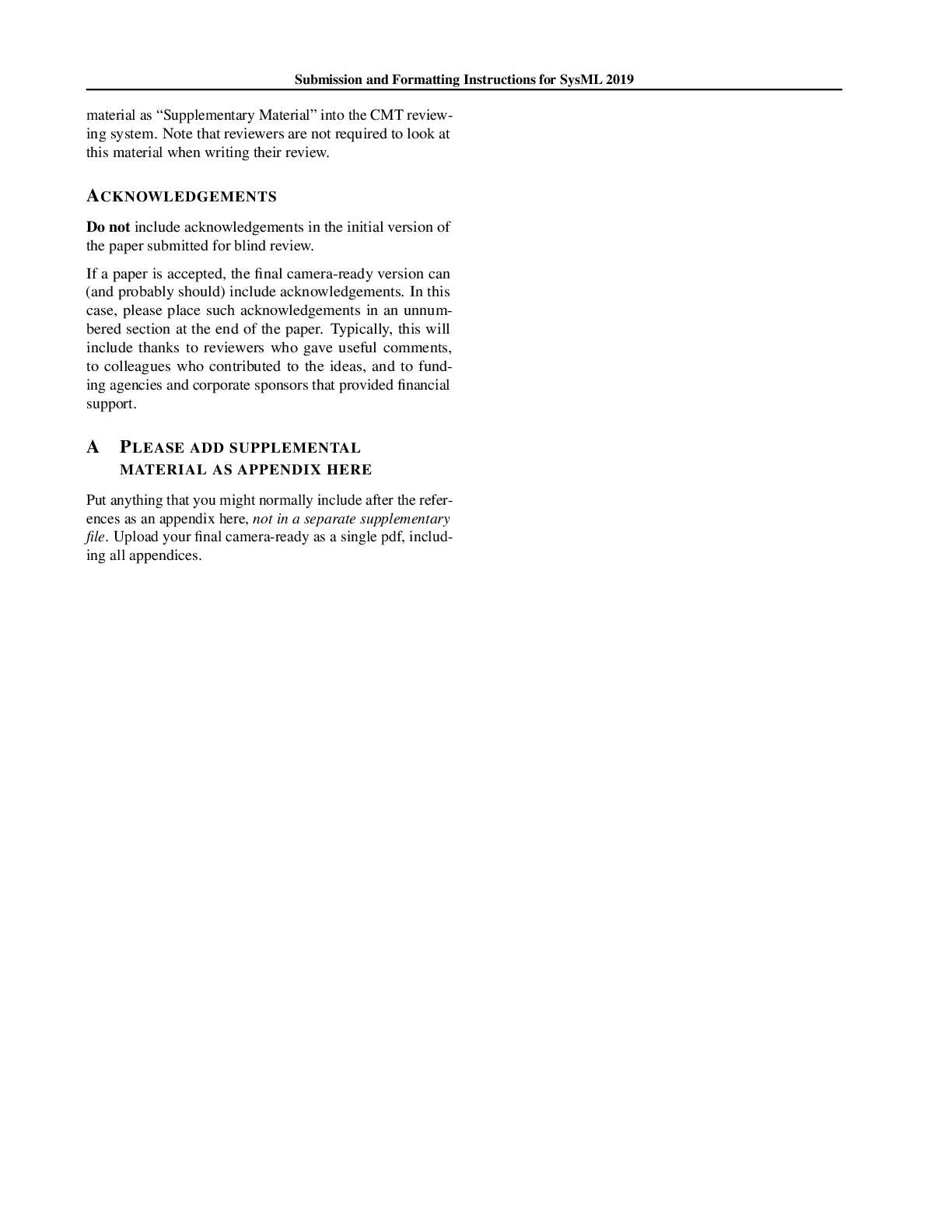
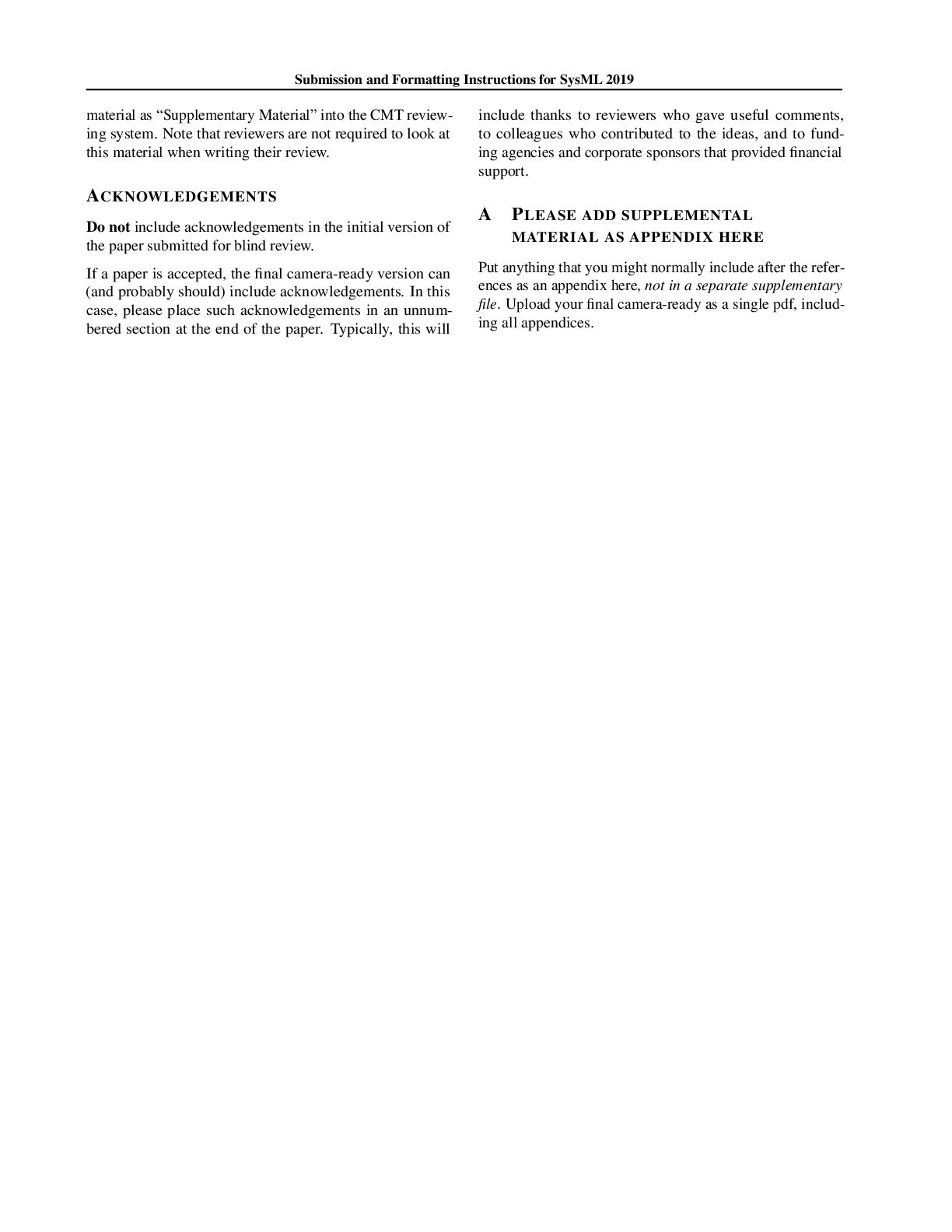
balance.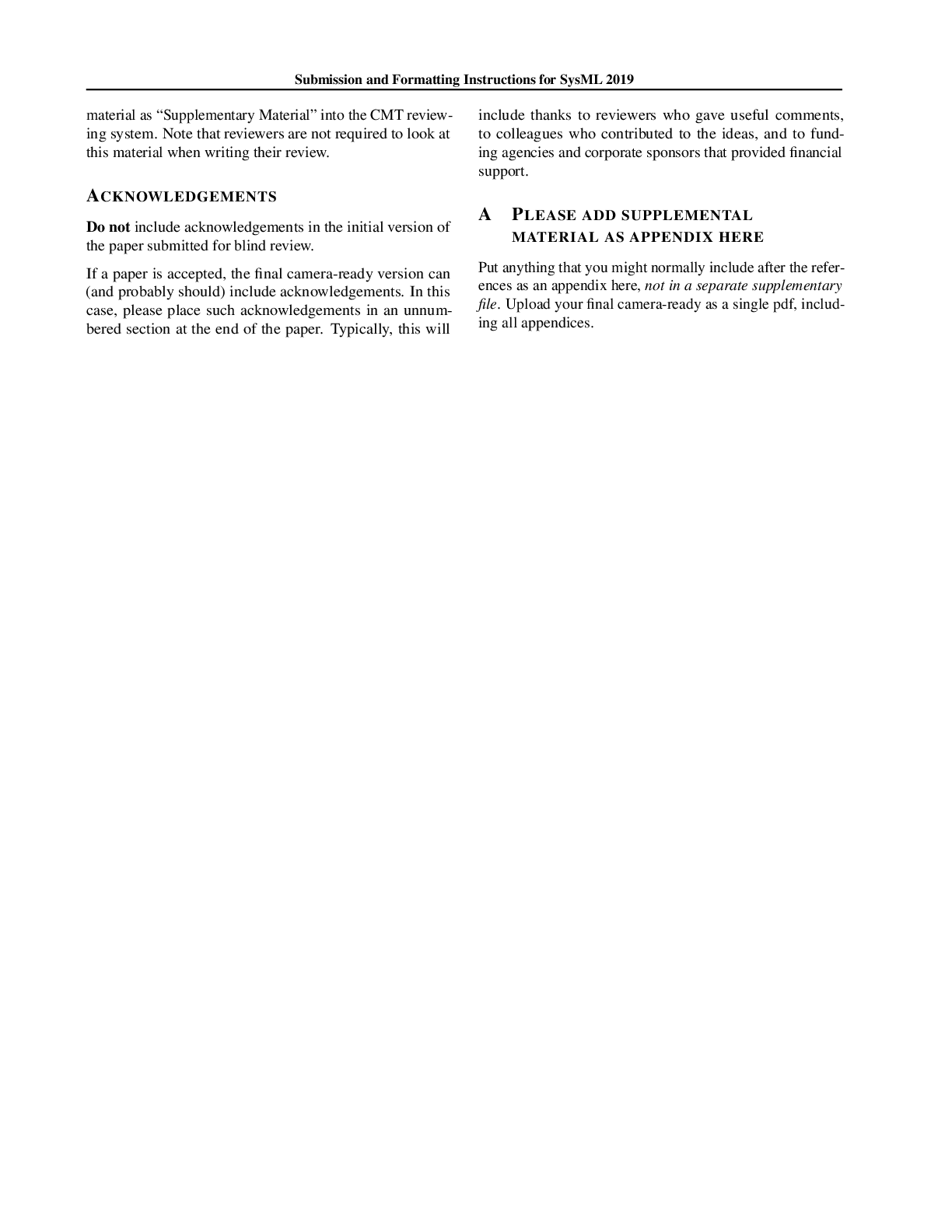
flushend.booktabs
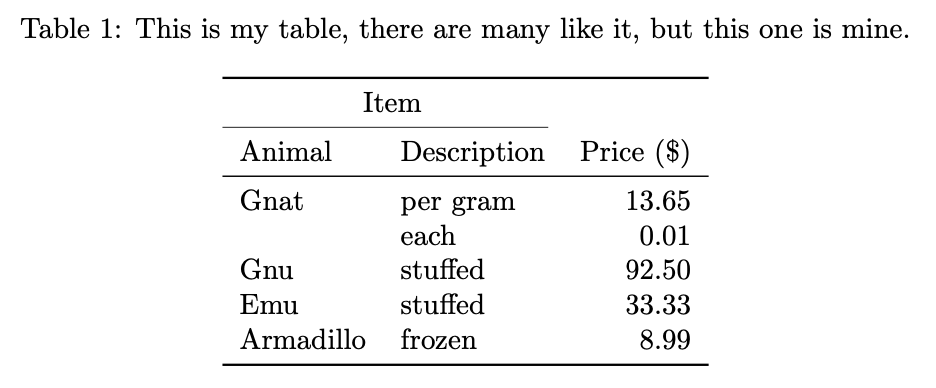
Simply put, booktabs (Fear & Els, 2020) makes your tables look good! It’s
practically mandatory for any paper with a table. Remember not to add any
vertical bars. Note that I am sneaking in arydshln for the dashed line here,
and adding some more breathing room for the rows. Note that arydshln must load after siunitx.
Consider this example, adapted from LaTeX_animal_table_with_booktabs.svg">Animal table with booktabs.png (licensed under the Creative Commons Attribution 4.0 International license).
1
\usepackage{booktabs}              % Nicer tables
1
2
3
4
5
6
7
8
9
10
11
12
13
14
15
16
17
18
19
20
21
22
23
24
25
26
27
28
29
30
31
32
33
34
\documentclass[border=6pt]{standalone}
\usepackage{booktabs}
\renewcommand\arraystretch{1.2}

\usepackage{caption}          % provides \captionof; floats don't work in standalone
\usepackage{siunitx}
\usepackage{arydshln}
\sisetup{round-mode=places, round-precision=2, table-format=2.2}

\setlength\dashlinedash{0.6pt}
\setlength\dashlinegap{1.5pt}
\setlength\arrayrulewidth{0.5pt}

\begin{document}
\begin{minipage}{\linewidth}   % gives \captionof a box to measure against
\centering
\captionof{table}{\textbf{This is my table,} there are many like it, but this one is mine.}
\label{tbl:mytable}
\begin{tabular}{llS}
\toprule
\multicolumn{2}{c}{\textbf{Item}} \\
\cmidrule(r){1-2}
Animal & Description & {Price (\$)} \\   % braces protect header from S-column parsing
\midrule
Gnat  & per gram & 13.6547 \\             % extra decimals; rounded to 2 places
      & each     &  0.01 \\
\hdashline                    % soft break: Gnat's two prices belong together, next animal starts
Gnu   & stuffed  & 92.50 \\
Emu   & stuffed  & 33.33 \\
Armadillo & frozen & 8.99 \\
\bottomrule
\end{tabular}
\end{minipage}
\end{document}
cleveref
Using the cleveref package (Cubitt, 2012), we can refer to figure, tables etc without specificing the type.
See~\cref{tbl:mytable} produces “See table 1”.
1
2
3
4
\usepackage[capitalise]{cleveref}  % Clever references to stuff.
\crefname{figure}{Fig.}{Fig.}
\crefname{lstlisting}{listing}{listings}
\Crefname{lstlisting}{Listing}{Listings}
The result is configurable, and we can for example change the figure type name with \crefname{figure}{Fig.}{Fig.}, where the first Fig. is the singular form and the second is the plural form.
glossaries-extra
Using the package glossaries-extra we can add a list of terms and a list of acronyms to our document (Talbot, 2016; Talbot, 2018). It is also very useful for making sure that acronyms are written out the first time they are used.
1
2
3
4
5
6
7
8
9
10
11
12
13
\usepackage[acronym,toc,symbols]{glossaries-extra}
\usepackage{glossary-longbooktabs}
\setabbreviationstyle[acronym]{long-short}

\makeglossaries
\newacronym{gcd}{GCD}{Greatest Common Divisor}

\newglossaryentry{eta}{name={\ensuremath{\eta}}, sort={eta}, description={Learning rate}, type={symbols}}

\clearpage
\printglossary[type=symbols,style=long-booktabs]
\clearpage
\printglossary[type=acronym,style=long-booktabs]
We can then use \gls{gcd} whenever we need to use the acronym Greatest Common Divisor (GCD) or \gls{eta} when we need to use the symbol for the learning rate. See Glossaries on Overleaf for more examples.
I am using bib2gls (Talbot, 2025) and store my glossaries in .bib files. This requires running bib2gls in the build process. This fork of latexrun solves that.
1
2
3
4
5
6
7
8
9
10
11
12
13
14
15
16
17
\GlsXtrLoadResources[
  src={../includes/acronyms},
  type=acronym,
  sort={en-GB}
]

\GlsXtrLoadResources[
  src={../includes/symbols},
  type=symbols,
  sort={en-GB}
]

\GlsXtrLoadResources[
  src={../includes/terms},
  type=terminology,
  sort={en-GB}
]
Entries can look like
1
2
3
4
5
6
7
8
9
10
11
12
13
14
15
16
17
18
@acronym{AI,
    short = {AI},
    long = {Artificial Intelligence}
}

@entry{t,
    name={\ensuremath{t}},
    sort={t},
    description={time},
    type={symbols}
}

@entry{kappascopecreep,
    name={\ensuremath{\kappa}-scope creep},
    sort={kappascopecreep},
    description={The probability that "just one more experiment" expands the paper's contribution list by one},
    type={symbols}
}
.
microtype
Text typeset in LaTeX already looks great, but can be made even nicer with microtype (Schlicht, 2019). Looking deeper at the micro-typographics extensions provided by microtype is a great way to ensure getting trapped in a rabbit hole for a long time. Here are the settings I use, borrowed from the excellent post Tips on Writing a Thesis in LaTeX (Khirevich, n.d.).
1
2
3
4
5
6
7
8
9
\usepackage[
    protrusion=true,
    activate={true,nocompatibility},
    final,
    tracking=true,
    kerning=true,
    spacing=true,
    factor=1100]{microtype}
\SetTracking{encoding={*}, shape=sc}{40}
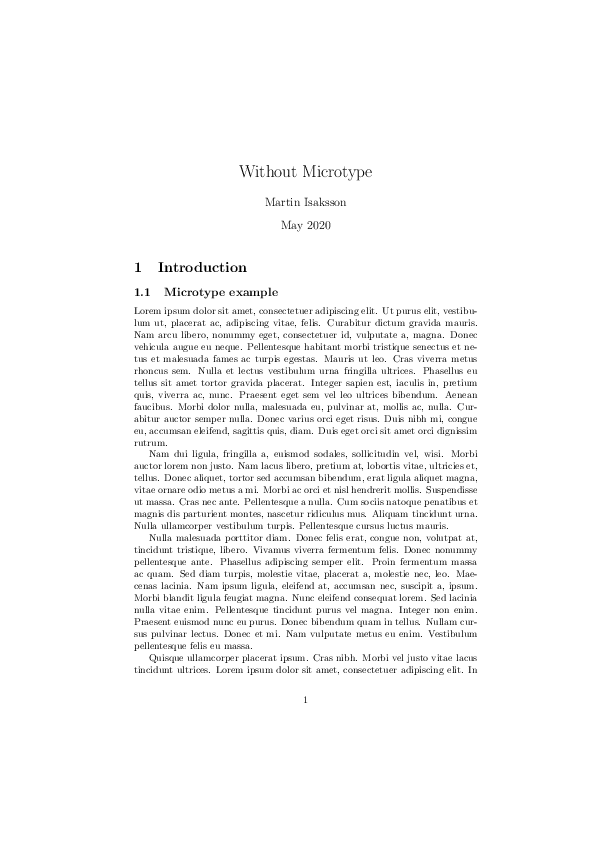
microtype.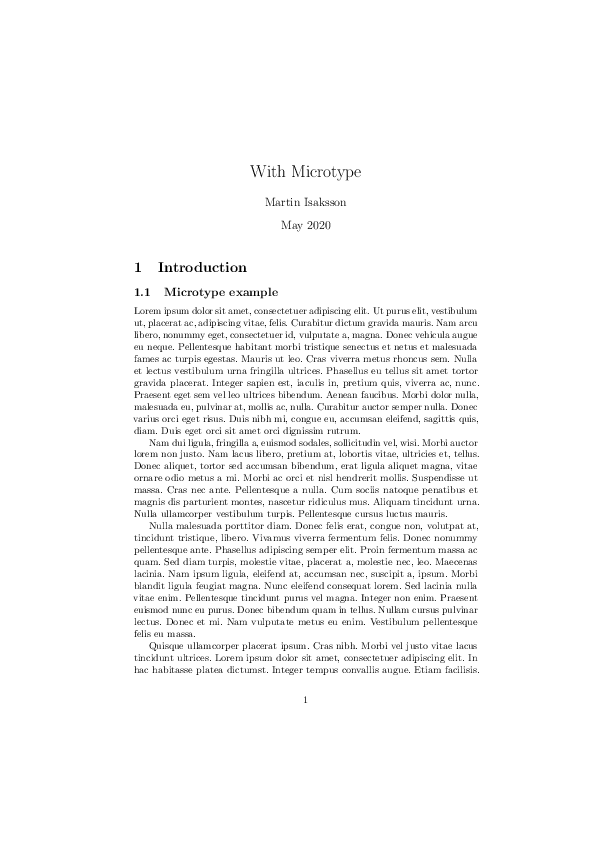
microtype.microtype. Examples were compiled with pdfLaTeX in TeX Live 2019.pgfplots
The pgfplots package (Feuersänger, 2014) can be used for creating 2D and 3D plots. It is built on top of the PGF/TikZ package (Feuersänger et al., 2014) and allows the creation of high-quality, customizable, complex graphs, charts, or diagrams directly within your document.
The package supports a wide variety of plot types, such as line plots, scatter plots, bar plots, histograms, and contour plots. pgfplots can load data from external files, enabling generation of plots without leaving the LaTeX environment. Used together with tikzplotlib you can convert plots from matplotlib.
1
\usepackage{pgfplots}
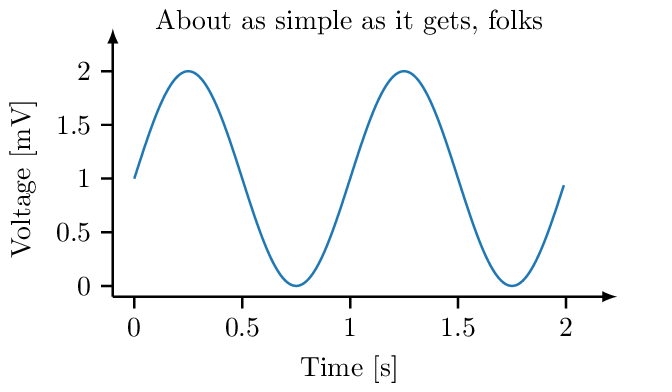
See Publication ready figures for a longer post on the pgfplots package (Feuersänger, 2014).
savetrees
Here is a controversial package. It really doesn’t belong on the recommended package list, but I will keep it here anyways. savetrees (Pakin, 2007) is magic. It is highly useful when you are approaching a conference deadline and you have one page over the conference limit. Using the subtle mode, we can preserve the document layout and try to make LaTeX pack text tighter.
1
\usepackage[subtle]{savetrees}
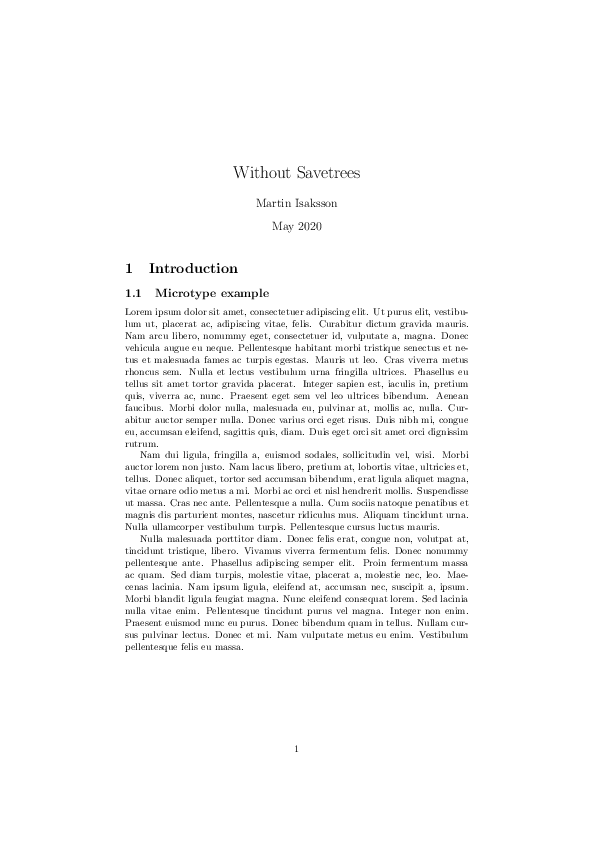
savetrees.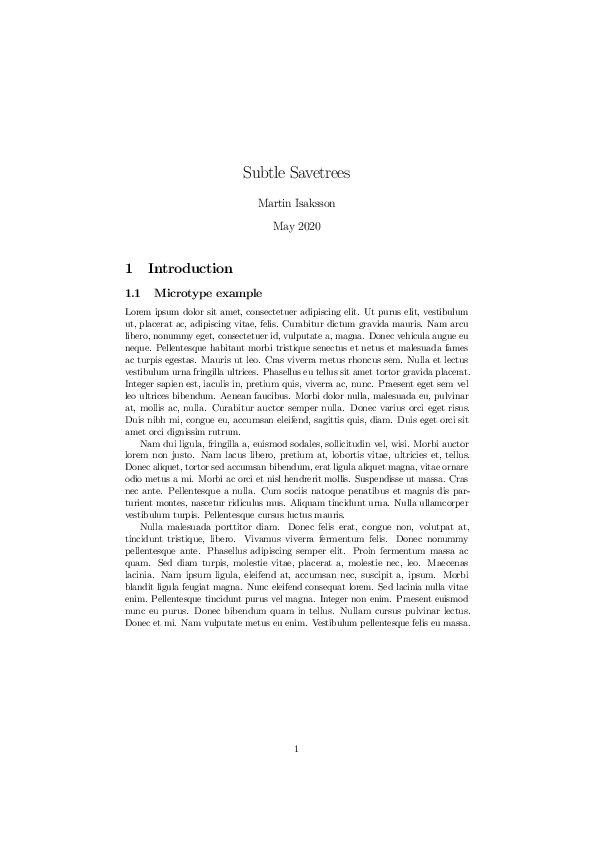
savetrees.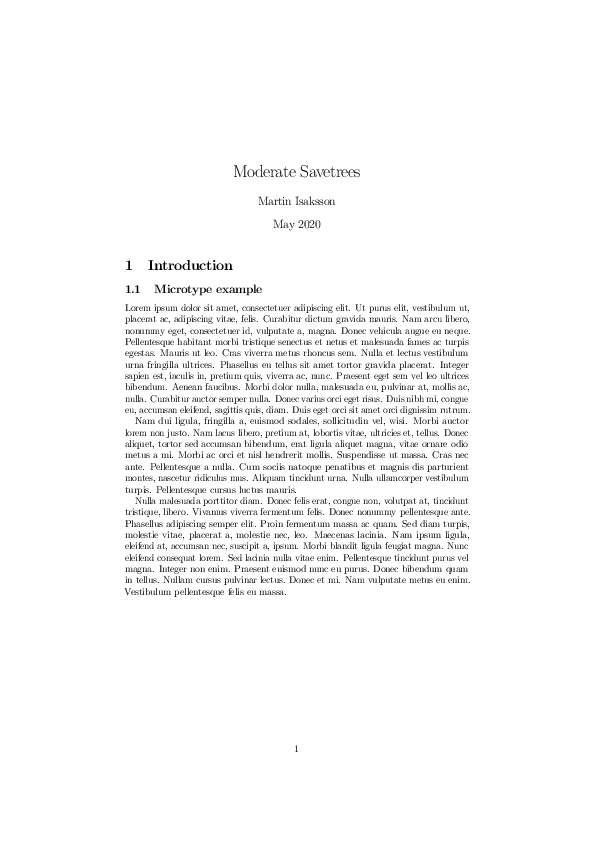
savetrees.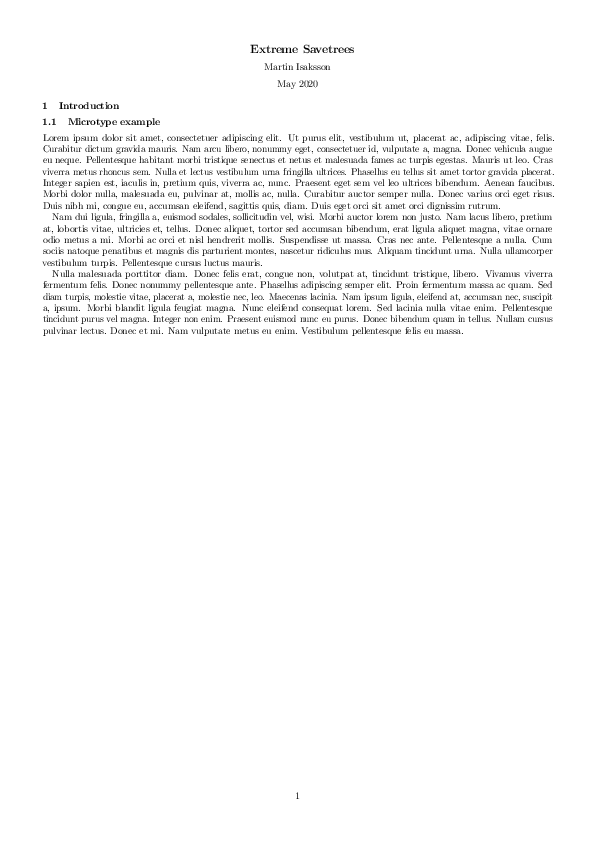
savetrees.savetrees. The examples were compiled using pdfLaTeX from TeX Live 2019.siunitx
Typesetting numbers with units is actually not trivial. siunitx (Wright, 2009) adds, among others, the commands \qty and \num so that we can
write \qty{1024}{\byte} or \num{{}e5}, which
makes things look much nicer.Ranges can be typeset with \qtyrange{1}{99}{\px}
or \numrange{1}{99}.
1
2
3
4
5
6
7
8
9
10
\usepackage{siunitx}

% SI unit setup
\sisetup{
    exponent-product=\cdot
}

\DeclareSIUnit{\belmilliwatt}{Bm}
\DeclareSIUnit{\dBm}{\deci\belmilliwatt}
\DeclareSIUnit\px{px}
Another use for this package is for aligning numbers in a table, and we can directly use the table format S or S[table-format=3.2], see also Publication ready tables.
tikz
TikZ and PGF (Feuersänger et al., 2014) are packages for programatically creating figures, and deserve a longer writeup. Because you render the figures within the document itself, your drawing will match the fonts and style of the rest of the document. The downside is that it has a very steep learning curve, but the Internet is full of great examples, and your favorite AI assistant can draw pretty well in TikZ.
1
2
3
4
5
6
7
8
\usepackage{tikz}

\usetikzlibrary{shapes, decorations, calc, arrows}
\usetikzlibrary{3d,fit,backgrounds, decorations.text}
\usetikzlibrary{positioning, shapes.symbols}
\usetikzlibrary{decorations.pathreplacing, calligraphy}

\tikzset{>=latex}
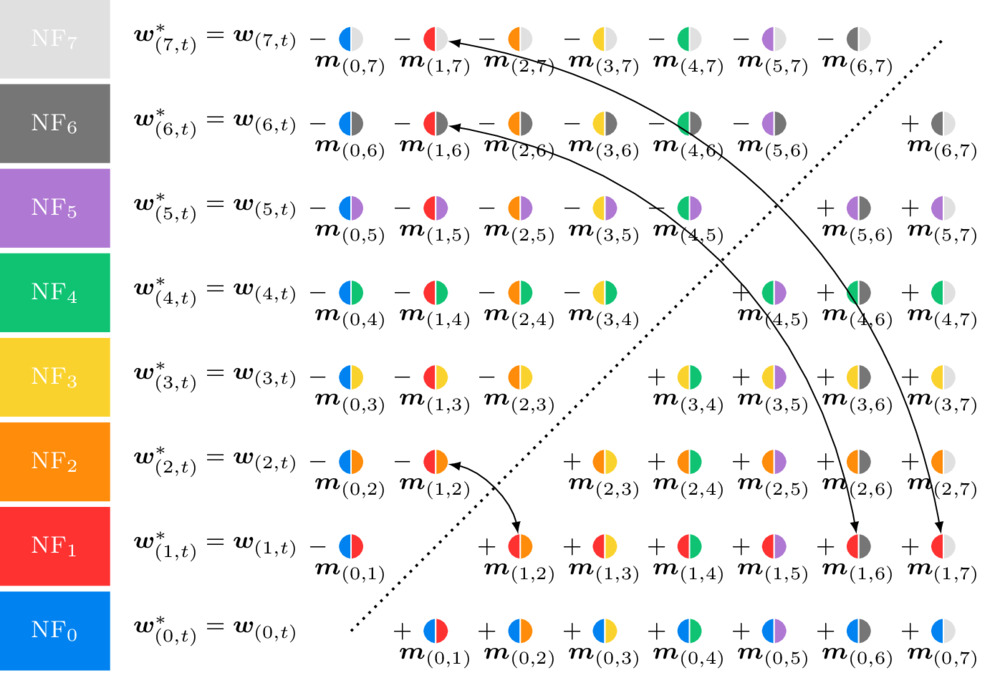
Here’s the tweet in question:
GPT-5.5, not fully saturating the TikZ unicorn test yet but getting awfully close ...
— Sebastien Bubeck (@SebastienBubeck) April 23, 2026
(yes this is actual TikZ code, I personally find it so unbelievable that I'm putting the code below for anyone to verify for themself) pic.twitter.com/abkFTMySGe
See more examples of TikZ figures on TeXample.net.
FAQ
What is the best LaTeX package for tables?
booktabs for the rules; pair it with siunitx’s S column type if the table has numbers to align and with arydshln for dashed horizontal lines. Add breathing room with \renewcommand\arraystretch{1.2}.
How do I balance the columns on the last page of a two-column paper?
balance or flushend; see the section above. Any of them would probably work.
How do I automatically reference figures and tables in LaTeX?
Use cleveref’s \cref{} that picks the right word (“Figure”, “Table”, …) for you. Bonus, use \eqref{eq:myequation} for equations to get references such as (1).
Is glossaries-extra overkill for a short paper?
No, you can reuse your acronyms and symbols across papers and documents. Only the included acronyms or symbols will be listed.
Does microtype actually make a visible difference?
Yes it does, depending on the font and build system. Will anyone notice and give you compliments - absolutely not.
Is savetrees safe to use right before a conference deadline?
No. Will you do it anyways? Yes.
Conclusion
There are probably more top ten lists of LaTeX packages than there are packages, and here’s another one. Hope you enjoyed it!
What are your favorite packages? Comment below!
AI disclosure
This post was audited with AI-assisted quality tools (Claude Sonnet 5) to identify SEO, accessibility, and citation issues, and to apply the resulting mechanical fixes (internal links, alt text, metadata, citations). All prose is my own.
References
- Cormode, G., Muthukrishnan, S., & Yan, J. (2012). Scienceography: The study of how science is written. Lecture Notes in Computer Science (Including Subseries Lecture Notes in Artificial Intelligence and Lecture Notes in Bioinformatics), 7288 LNCS, 379–391. https://doi.org/10.1007/978-3-642-30347-0_37
- Scharrer, M. (2012). The adjustbox Package. CTAN, 1–29. https://www.ctan.org/pkg/adjustbox
- Feuersänger, C., Menke, H., & Tantau, T. (2014). TikZ & PGF manual. https://www.ctan.org/pkg/pgf
- Daly, P. W. (1999). Balancing the Two Columns of Text on the Last Page. 3–4. https://www.ctan.org/pkg/balance
- Fear, S., & Els, D. (2020). booktabs – Publication quality tables in LATEX. CTAN. https://ctan.org/pkg/booktabs
- Cubitt, T. (2012). The cleveref package. Sort, 1–28. https://www.ctan.org/pkg/cleveref
- Talbot, N. L. C. (2016). User Manual for glossaries. 1–240.
- Talbot, N. L. C. (2018). Glossaries-Extra : an Extension To the Glossaries Package. 1–201.
- Talbot, N. L. C. (2025). bib2gls — Command line application to convert .bib files to glossaries-extra.sty resource files (Version 4.7). https://ctan.org/pkg/bib2gls.
- Schlicht, R. (2019). Microtype. 1–249. https://ctan.org/pkg/microtype
- Khirevich, S. Tips on Writing a Thesis in LaTeX. Retrieved May 3, 2020, from http://www.khirevich.com/latex/microtype/
- Feuersänger, C. (2014). Manual for Plotting Package pgfplots. 1–500. https://ctan.org/pkg/pgfplots
- Pakin, S. (2007). The savetrees package. 1–25. https://www.ctan.org/pkg/savetrees
- Wright, J. (2009). siunitx — A comprehensive ( SI ) units package. System, 1–60. https://www.ctan.org/pkg/siunitx
Suggested citation
If you would like to cite this work, here is a suggested citation in BibTeX format.
@misc{isaksson_2020,
  author="Isaksson, Martin",
  title={{Martin's blog --- Top 10 LaTeX packages for academic writing}},
  year=2020,
  url=https://blog.martisak.se/top-ten-latex-packages/,
  note = "[Online; accessed 2026-07-12]"
}